Your agent can rewrite anything. It can’t see what the LLMs say about your clients.
Omnipresence plugs into it over MCP. So the agent you already use can see which prompts you’re losing on ChatGPT, Claude, Gemini and Perplexity, which pages are winning them, and then go and work those pages.
Knowing your number dropped doesn’t tell you what to fix
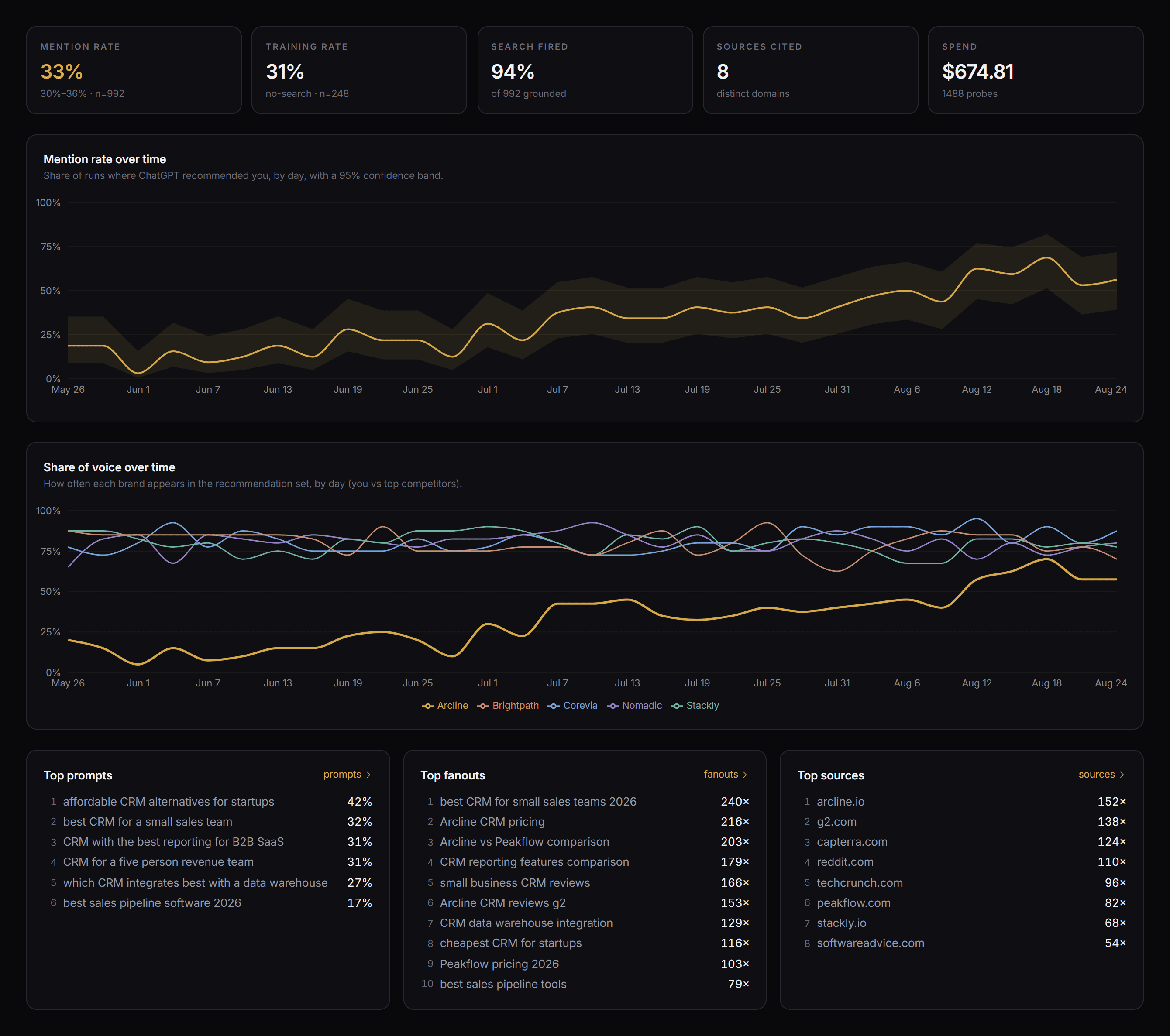
So your mention rate drops. On its own that doesn’t help you much. What you actually need is the query you lost, the page that beat you, and something that will go and fix it.
More than a tracker
Most trackers give you a mention rate and that’s about it. It’s a scoreboard. It doesn’t tell you what to go and change, and that’s where pretty much every tool in this category stops.
Omnipresence connects everything
We join every prompt to the queries it fired and the sources those queries pulled back, on ChatGPT, Claude, Gemini and Perplexity. It’s one graph, end to end. So the gap between where you’re getting cited and where you’re not turns into a work list.
Then your agent implements
You hand a target to your own agent over MCP, and the skills to act on it come with it. So the fix actually ships instead of sitting in a report.
Start with the prompts your buyers actually type
Add the prompts that decide your category. Every one of them runs on ChatGPT, Claude, Gemini and Perplexity, every week, and comes back as a rate with a confidence band rather than a yes or no. Nothing to configure, and no API keys to bring.
- 100+ tracked prompts, across as many client projects as you need
- Every prompt runs on ChatGPT, Claude, Gemini and Perplexity, every run
- Weekly, so a change reads as a trend and not as noise
- Mark any prompt as a control so it never gets optimisation work
See the queries and sources behind every answer
A prompt is never just one search. Each assistant fans out into its own queries, and each of those reads its own sources. We record all of it, so you can see which queries actually decide your category and which pages keep winning them.
- Every query each assistant fired, in the order it fired them
- The pages it cited, and the ones it retrieved but never used
- Every source attributed to the query that surfaced it
- Your pages marked against everyone else's
Pick a target, hand it to your agent, get it done
Pick the query you want to win and pass it to your agent over MCP. The AEO and GEO skills to act on it come with it. No prompt engineering, no copying context between windows.
- Update your site, against the sources that are winning today
- Target existing sources the model keeps reading
- Create the competing source where none is good enough
One tracked prompt, the queries the model actually fired, and the pages it read to answer.
Everything the agent does is logged against the number it moved
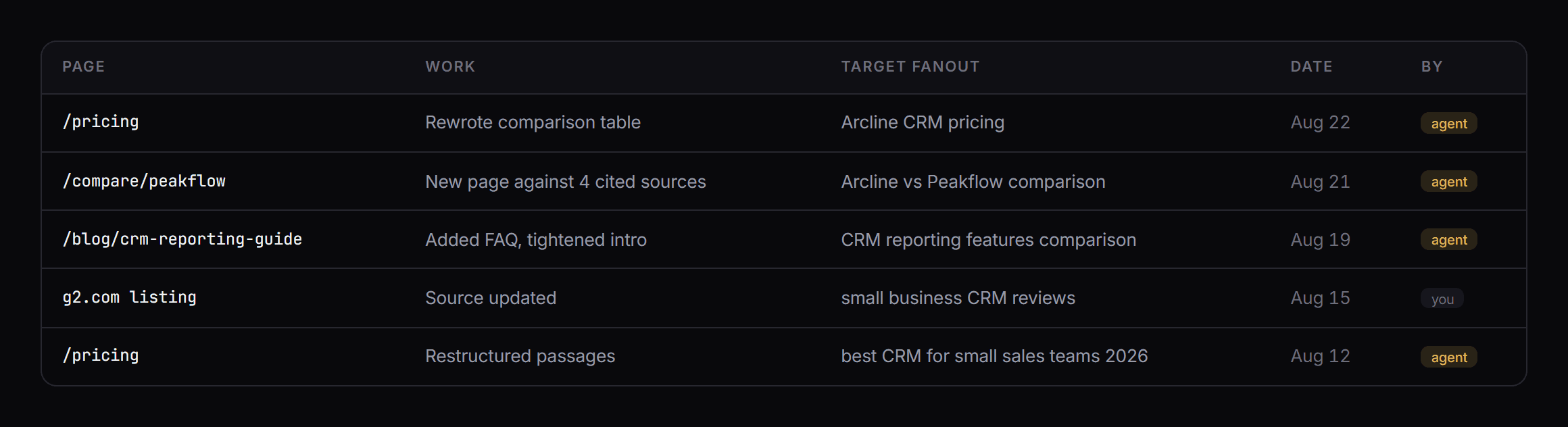
Every action gets logged with the page, the date and the target it was aimed at. So your team can see what’s being worked on, and it sits on the same timeline as the measurement it belongs to.
- Work logged with page, date and target
- Optimisation markers land on the same chart as the mention rate
- Control prompts stay untouched, so a lift is actually attributable
- Pull any of it for reporting through the same connection
How AI search actually works
Three studies we ran ourselves on what actually moves AI citation and what doesn’t, with the method and the limitations written down beside the numbers.

Title Tags Can Increase AI Citations By 192%
What Works and What Doesn’t Across 1,000 Searches and Five AI Engines
Adding the current year to your title tag increased AI citations by as much as 192%. Title length, brand suffixes and question titles didn’t do anything.
Read the report
The 3 Numbers That Decide If AI Cites Your Page
Chunk Frequency, Chunk Score and Extractable Units
AI scores one chunk of your page at a time. How many chunks you need depends on your market, so benchmark against the pages already cited. Adding quotations raised a page’s visibility in AI answers by 40.9% in the GEO benchmark.
Read the report
10x AI Visibility Refresh
What Happened When We Refreshed 98 Posts and Published Nothing
We refreshed 98 posts, published nothing, and citations went up 10x in 91 days. The correlation between Google rank and AI citation was basically zero, and 41 cited pages had no Google impressions at all.
Read the reportA private room, included with your subscription
You get the workflows, the teardowns, and a weekly call on what’s actually working in AI search right now. Every call is recorded, so joining late isn’t a problem.
See what is inside