
An instrument, not a dashboard
Anything can tell you your number went up. This tells you whether your work is what moved it, on ChatGPT, Claude, Gemini and Perplexity, then hands the next job to your agent.
Four decisions that make the number worth having
Search is never forced
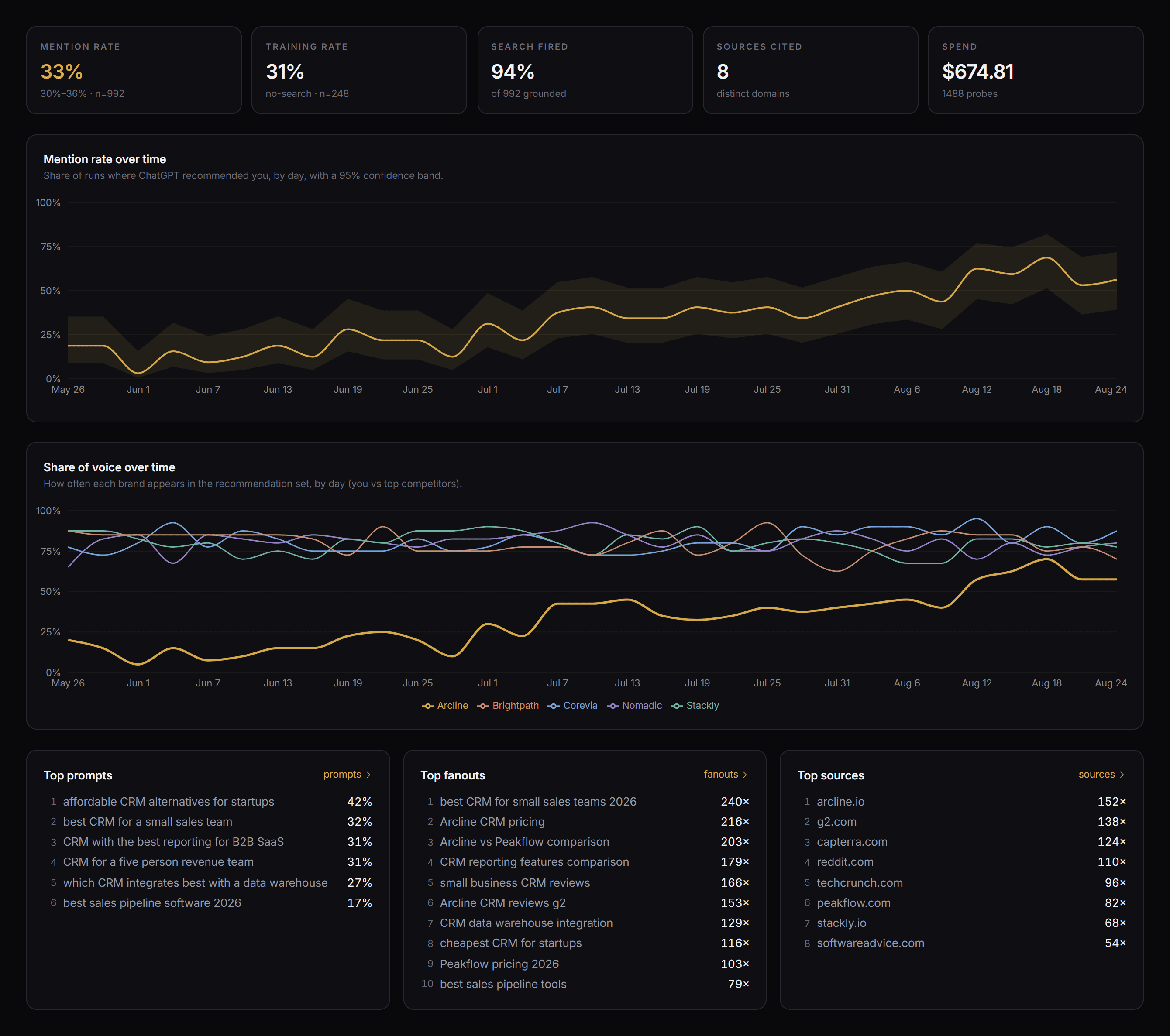
On ChatGPT, Claude and Gemini the search tool is there, but the model decides whether to use it and how often, and we record whether it fired. If you force it, you’ve destroyed the signal, because sometimes a real answer just comes from what the model already believes. Perplexity is the exception: its search is always on, by design.
A rate, not a yes or no
Each measurement fires a batch of probes and reports the share that recommended you, with a Wilson confidence interval on it. One probe is basically a coin flip. The variance is the thing you’re trying to see.
Control prompts
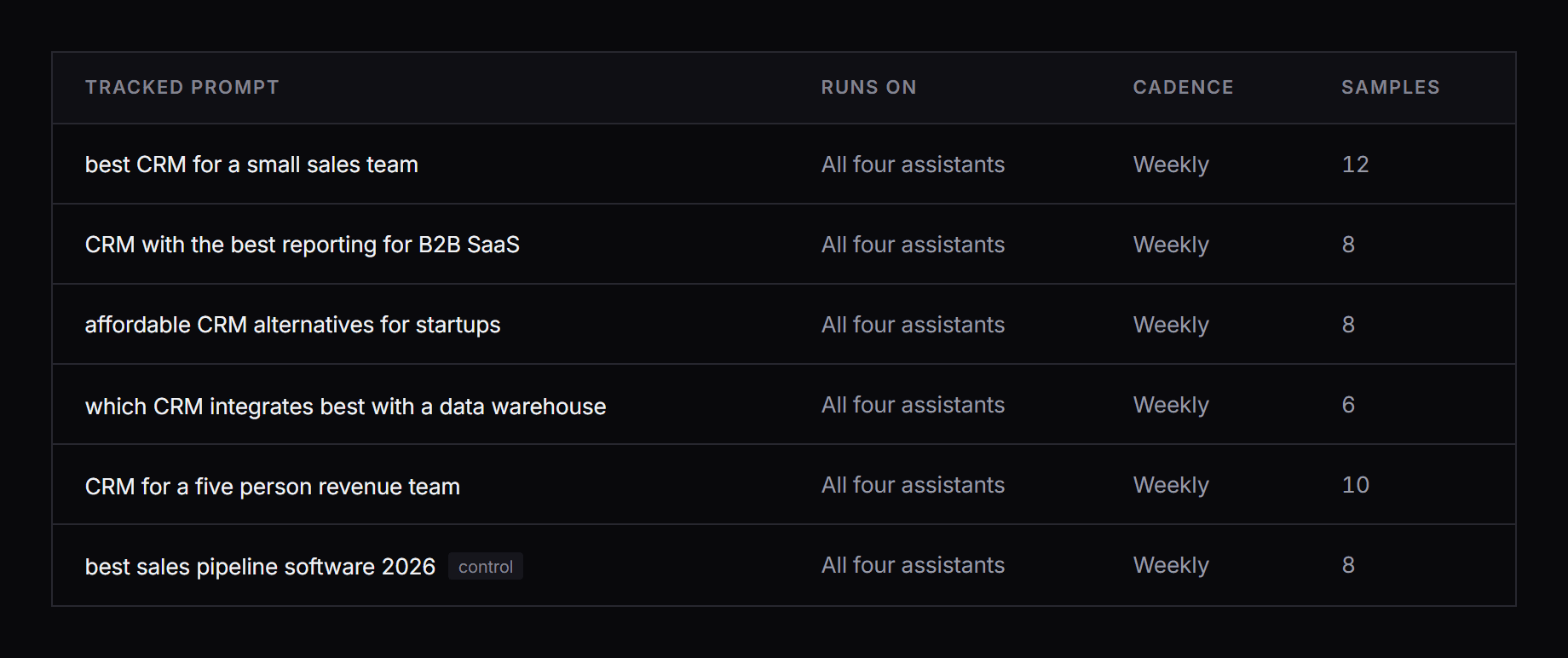
Mark a prompt as a control and it never gets optimisation work. So when the tracked rate climbs and the control stays flat, you can actually attribute the difference. Control-origin fanouts are locked too, so nobody can quietly work them.
Four assistants, one schedule
Every prompt runs on ChatGPT, Claude, Gemini and Perplexity on the same cadence, so you are comparing like with like. They disagree more than you would expect, and the disagreement is usually where the work is.
Every prompt, on every assistant, every week
Add the prompts that decide your category. Each one runs on ChatGPT, Claude, Gemini and Perplexity, so you see where each assistant stands rather than one blended number.
- 100+ tracked prompts, across as many client projects as you need
- Every prompt runs on all four assistants, every run
- Weekly, so a change reads as a trend and not as noise
- Any prompt can be a control
Prompt, to fanout, to source
That middle column is the part mention-rate tools leave out, and it’s the only part that tells you which page to go and change.
Graded, counted, and locked when they’re controls
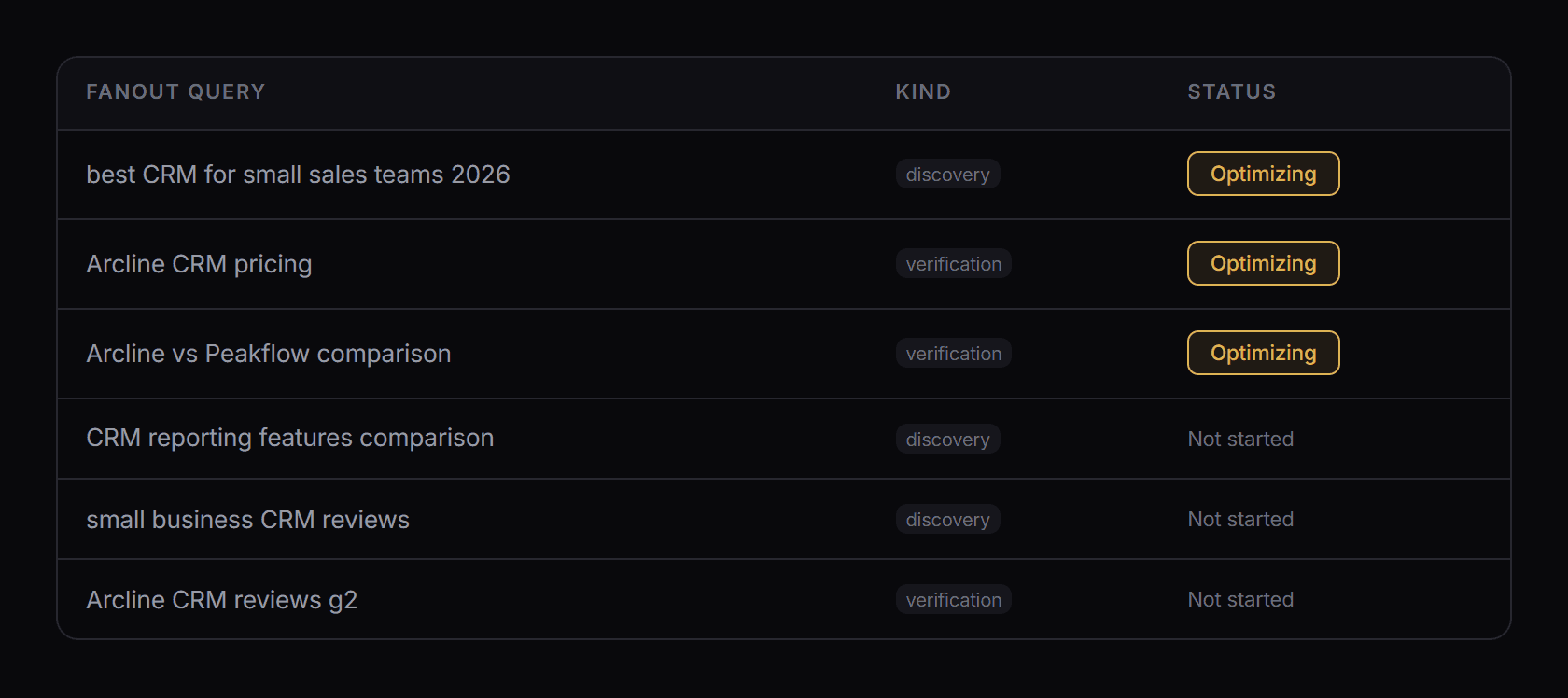
Every query the assistants fired, how often, and in what order. Run order matters: the first search shapes the candidate set everything after it gets compared against. Start working a query and it gets flagged, so what you changed and when sits right next to the measurement.
- Run order, because the search that fires first shapes the answer
- Which assistants ran each query, and how often you won it
- Discovery and verification queries separated
- Control-origin rows locked against optimisation
The pages that decide the answer
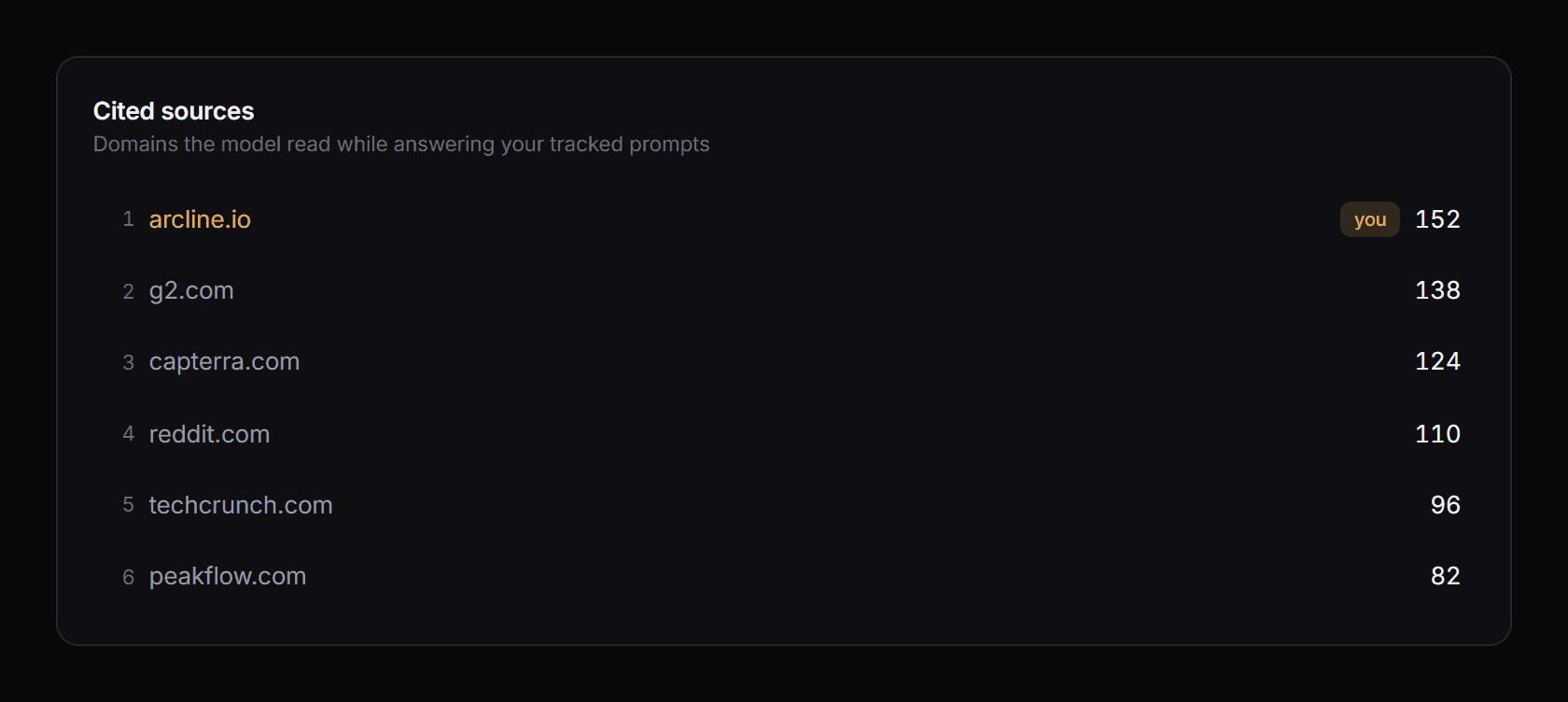
Every source is attributed to the query that surfaced it and ranked by how often an assistant actually read it. You also get the layer underneath: the pages a search returned that never made the answer. Those are the ones you can still win.
- Cited pages, ranked by how often they were read
- Retrieved but not cited, so you can see what it nearly used
- Grouped by domain, with the assistants that cited each one
- Your own pages marked against everyone else's
Read what each assistant actually said
Not just whether you got mentioned. The full answer ChatGPT, Claude, Gemini and Perplexity each gave, kept run after run, so you can watch the wording move as you work.
- The full answer from each assistant, side by side
- Past runs kept, so you can see what changed and when
- Whether you were recommended, and where you placed
- Every probe logged with its status, its searches and its cost
Then hand it to your agent and get it done
On its own, measurement is just a report. So you pick the query you want to win, pass it to your own agent over MCP, and the AEO and GEO skills to act on it come with it.
Update your site
Rewrite the pages that should already be winning the query, against the ones that actually are.
Target existing sources
Go after the third-party pages the model keeps reading, and get your brand into them.
Create competing sources
Where there’s no good source yet, build the one the model cites next.
The work lands back on the same chart
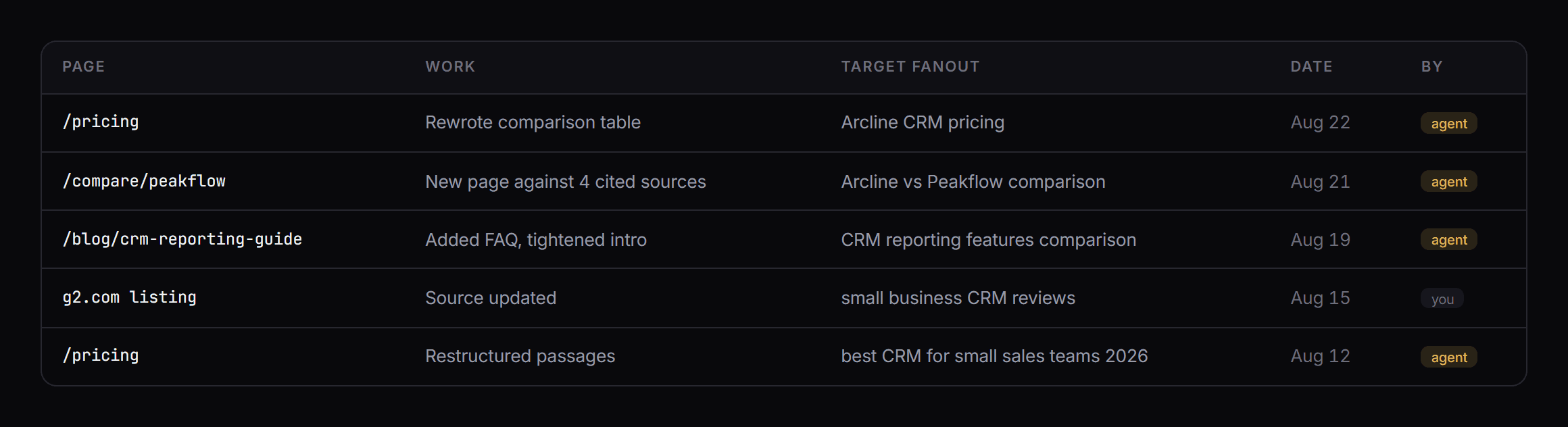
Every action the agent takes gets logged with the page, the date and the target it was aimed at, and the marker lands on the same timeline as the mention rate. Control prompts stay untouched, so a lift stays attributable.
Rank is not citation
We ran the experiment ourselves. Across 91 days on a real site, Google position and AI citation had basically no relationship at all.