
Give your agent eyes on the answers
Connect Omnipresence to Claude, Codex, or any agent via MCP. It reads what ChatGPT, Claude, Gemini and Perplexity are saying about your clients, then does the optimisation work against it.
Which prompts am I losing, and why?
Three of five tracked prompts sit under 30%. All three lose on the same two fanouts: pricing comparison and vs-competitor. Your pricing page is cited 12 times, your comparison page zero.
Fix the comparison page.
Reading the four sources cited for that fanout, then rewriting the page against them. Marking the fanout as optimising so the before and after stays attributable.
Connect it once and your agent can use the whole product
MCP is the open standard for giving an agent real tools. So you connect once, and your agent can read your projects, pull your presence data and log the work it does. No pasting things between windows.
Connect once
Authorise Omnipresence from Claude, Codex, or any agent that speaks MCP. One connection covers every project on your account, and you just switch between them by name.
Reads your live data
The answer each assistant gave, the searches behind it, the sources it cited or passed over, and how the rate has moved. It’s the current state, not a static export.
Does the work
Rewrites, briefs and source-level fixes against the pages that actually decide the answer. Then it logs what it changed and when.
What people actually hand it
Six jobs the connection takes off your desk. Pick one to see what you ask, what it does, and what you have at the end.
Which prompts are we losing, and what is beating us?
- 01
Reads the current rate on every tracked prompt, and which way it moved
presence_overview · presence_timeseries
- 02
Pulls the answers themselves, the searches behind them, and the sources cited
presence_answers · presence_query
- 03
Names the pages standing between you and the answer, per prompt
presence_query
A ranked list of what to fix, with the evidence attached to each item.
Rewrite our comparison page so it wins the vs-competitor search.
- 01
Reads the sources the assistants actually cited for that search
presence_query
- 02
Scores your page against what retrievers measure, and says what falls short
chunkscore
- 03
Fetches the method for that fix, then marks the target as being worked
lookup · fetch · presence_set_optimizing
A rewrite grounded in the pages that beat you, and a before-and-after you can attribute.
What are buyers asking that we do not track yet?
- 01
Reads your brand, competitors and what the site already sells
project_context
- 02
Proposes the buying questions missing from your set, with a reason each
presence_query
- 03
Adds the ones you approve, on the cadence you pick
presence_manage_prompt
A tracked set that matches how buyers actually ask, not how you name things.
Did the work we shipped in March change anything?
- 01
Pulls the rate before and after each change, against its control
presence_timeseries
- 02
Lines the moves up against what was changed, and when
presence_log_optimization
- 03
Exports the whole thing for the deck
presence_export
A dated record of what changed, what moved, and what did not.
Give me the headline for each client, worst first.
- 01
Switches between every project on the account by name
list_projects · use_project
- 02
Reads each one's position and what moved since last time
presence_overview
- 03
Writes the summary per client, ordered by what needs saying
presence_export
One pass across the roster, instead of one tab per client.
Carry on with what you were doing.
- 01
Reads what it tried before, what moved and what it was mid-way through
memory_retrieve
- 02
Continues the work rather than re-deciding it
presence_set_optimizing
- 03
Writes back what it did this session
memory_store · presence_log_optimization
An agent with a memory of your account, not a fresh one each time.
Which prompts are we losing, and what is beating us?
- 01
Reads the current rate on every tracked prompt, and which way it moved
presence_overview · presence_timeseries
- 02
Pulls the answers themselves, the searches behind them, and the sources cited
presence_answers · presence_query
- 03
Names the pages standing between you and the answer, per prompt
presence_query
A ranked list of what to fix, with the evidence attached to each item.
Pick a fanout and the skills come with it
You pass a target to your agent and it turns up with everything it needs to act on it. You’re not writing prompts or pasting context, and it isn’t guessing at method.
Update your site
Rewrite the pages that should already be winning the query, against the ones that actually are.
Target existing sources
Go after the third-party pages the model keeps reading, and get your brand into them.
Create competing sources
Where there’s no good source yet, build the one the model cites next.
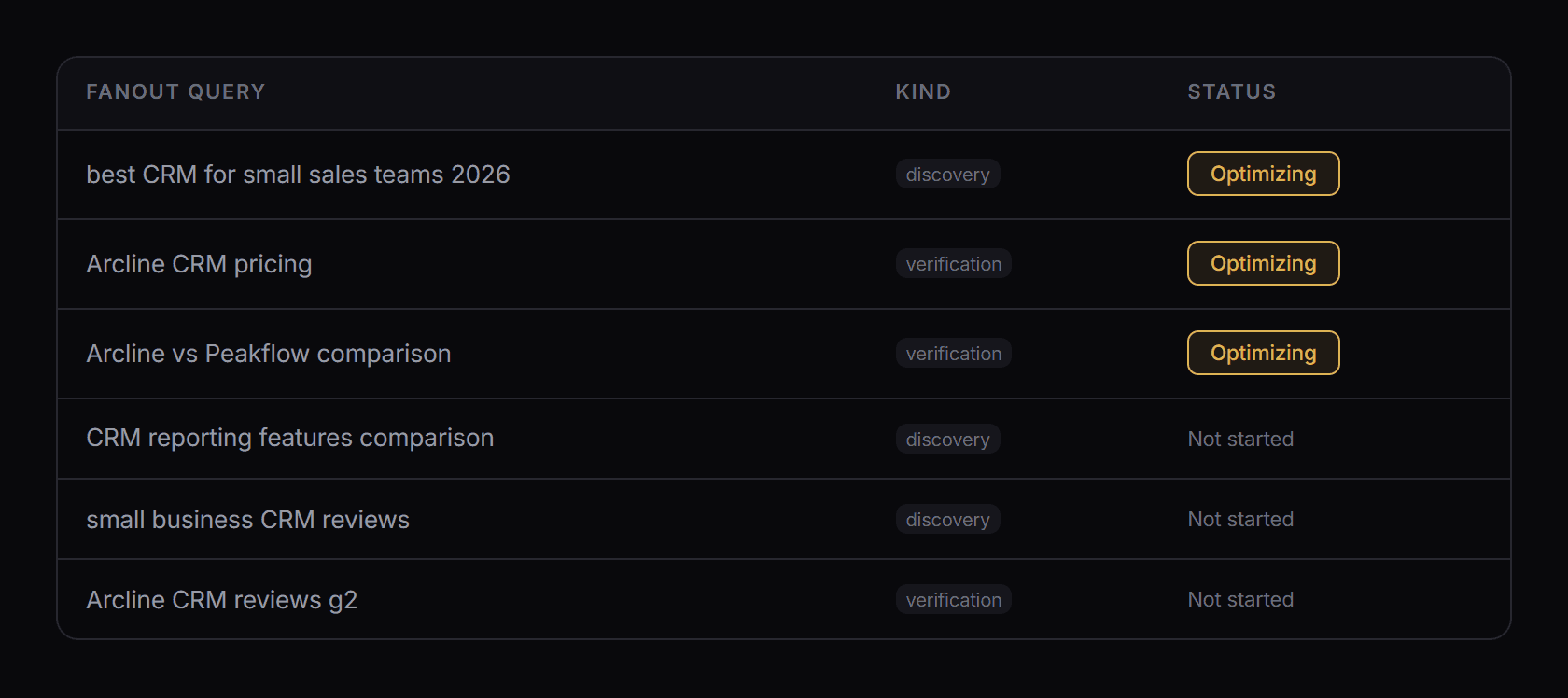
Fourteen years of search, kept current
The methodology isn’t made up fresh each conversation. It’s a maintained library of AEO and GEO processes covering retrieval, content structure, source acquisition and technical work, and it gets updated as the research turns up new things.
- Methodology served over MCP, refreshed without a redeploy
- The same processes behind the published research
- Grounded in your project’s own data, not generic advice
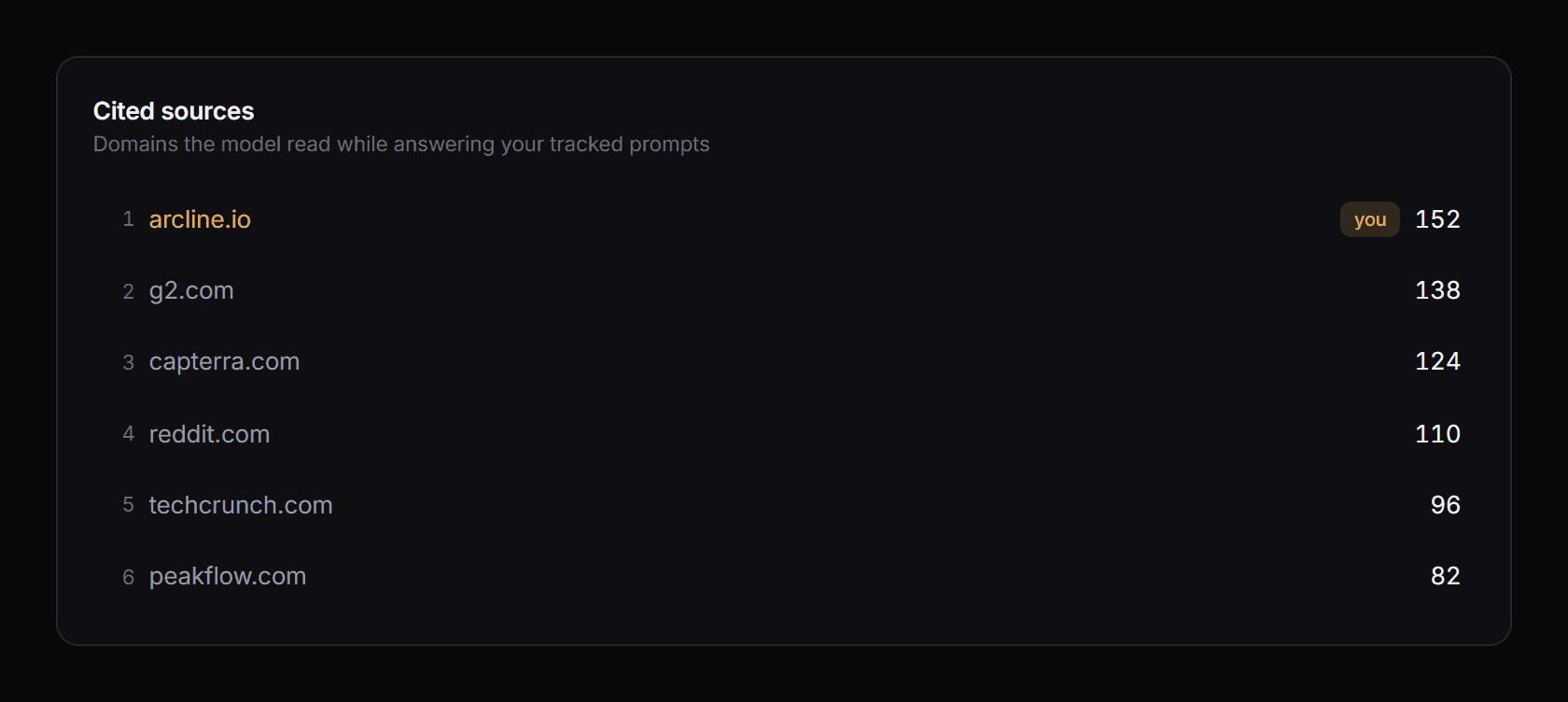
Every action logged, with the page and the date
The agent records what it changed, when, and which target it was aimed at. So your team can see what’s in flight, and the same connection will pull whatever you need for a client report.
- Work logged with page, date and target
- Optimisation markers on the same timeline as the rate
- Control prompts stay untouched by design
- Reporting data pulled through the same connection
Works in the tool you already use
There’s no new interface to learn and no extra window to keep open. If your team already works in Claude, Codex, or any agent that speaks MCP, Omnipresence just shows up there.